
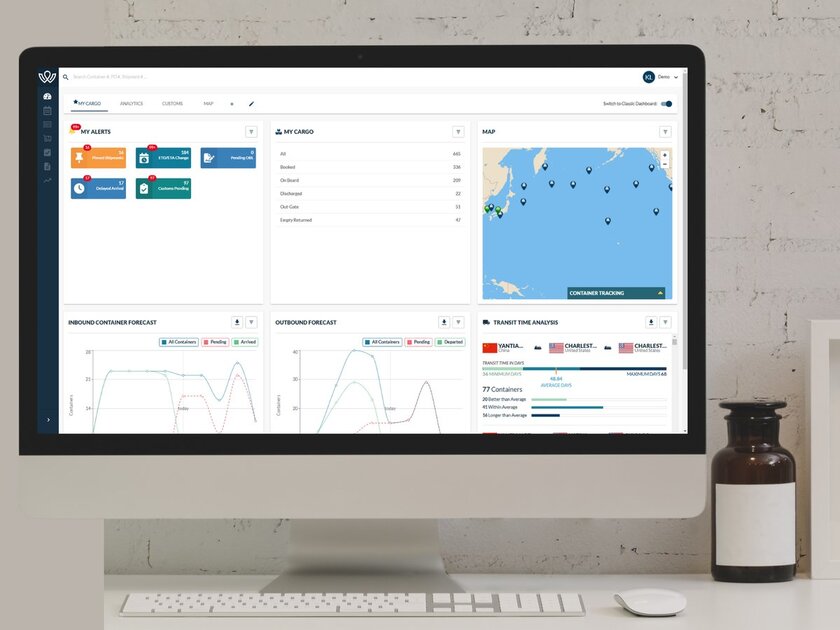
Alerts
On the My Cargo Dashboard you will find a section for alerts. My Alerts allows you to keep track of important shipments, date changes, and pending documentation.
Setting Email Notifications for My Alerts
After you set up email notifications for your alert preferences, each new alert record will be emailed to you when WorldScope receives the update from the carrier.
The table below explains what each alert means, how it is configured, and which users or customer groups can see it.
|
Alert Name |
System Config |
Who Can View |
|
ETD/ETA Changes |
If shipment has ETD/ETA outside of your tolerance level (# days).
The # of day tolerance of this alert is in your Admin Settings. |
All Companies |
|
Delayed Arrival |
Shipment is due to Arrive at Destination after original schedule.
Any shipment that has a delayed ETA will create a record. This alert is recommended for shipments that require immediate attention because the delayed ETA may affect downstream planning (the "Danger Will Robinson" alert).
|
All Companies |
|
Customs Pending |
When a Brokerage File is created, it will appear in this Alert. |
CHB Customers only |
|
Pending OBL |
Any shipment that is not guided by an EBL will show in this Alert until the BOL is surrendered, or the Telex Release is provided by the Shipper. |
All Forwarding Customers |
|
Pinned Shipments |
These are shipments marked "Hot" by the company. |
All Companies - |
|
Containers Not Outgated |
Containers that have not Outgated last Port/Ramp by the LFD. Controlled In Admin Settings - # days before Container should be outgated. |
Must be turned on with authorization from Ops |
|
Container in Demurrage |
Container does not have an Outgate date on/after CTO Storage Start Date / LFD. |
Drayage Customers Only Must be turned on with authorization from Ops
|
|
Containers in Per Diem |
Container does not have an Ingate date/ Empty Return Date on/after Empty Return by Date. |
Drayage Customers Only Must be turned on with authorization from Ops |
|
Emailing Notifications |
Customers will be allowed to select which of the alerts that are set up for Notifications can be emailed. |
This will be turned on and an onboarding or training done. |
Have questions? Contact support@worldscope.io for assistance.